Product News
Show Video Reviews Like Social-Style Shorts: Introducing CREMA's Shorts-style Popup 🎉

For customers, reviews are both information that helps them evaluate products and content that helps them discover items they didn't know existed. Video reviews are especially powerful—they show real usage and product details intuitively, capturing customer attention and driving the next action, whether that's exploring more products or considering a purchase.
To match how today's customers consume content—quick, visual, and scrollable—CREMA Review now offers a 'Shorts-style popup.' The Shorts-style Popup is a review details popup that presents video and photo reviews in an immersive, social-shorts style. When a customer taps a thumbnail they're interested in within the review widget, that review expands to fill the screen, and they can keep browsing through different reviews with familiar swipes and scrolls. In this article, we'll look at how the Shorts-style Popup works and walk you through its key features and how to use it effectively.

1. What is the Shorts-style popup and how does it work?
Using the Shorts-style popup is simple. When a customer taps a video or photo thumbnail in your review widget, that review expands to fill the screen. Customers can see the product in action and its finer details in vivid clarity, and they can browse through multiple reviews continuously—no need to return to the list after each one.
On mobile, customers swipe up or down to move between reviews. On desktop, they scroll with a mouse or use arrow keys. Because these interactions are already familiar from social media, customers can explore your store’s reviews naturally, without learning any new gestures. After viewing a video or image, customers who want more detail can read the full review.
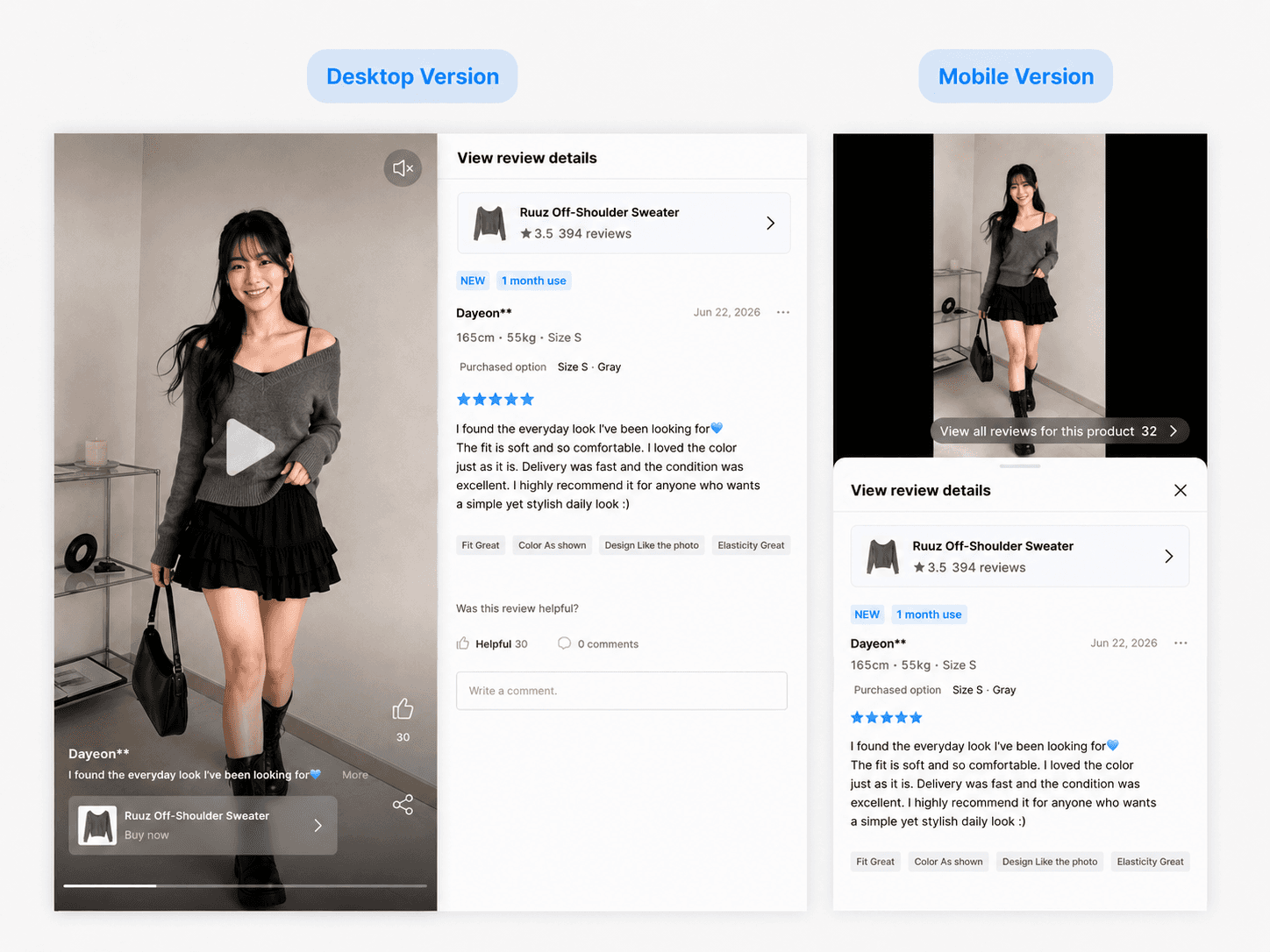
On desktop, the review text, star rating, purchase option, and submission date appear alongside the content. On mobile, tapping "View review details" opens a bottom sheet overlay, so customers can read the full review without leaving the immersive view.
2. React, share, and buy—just like on social media
Just as they would with a social short-form video, customers can react to reviews, leave feedback, and share content they find helpful. They can tap "Like" or "Helpful" to engage with useful reviews, and use the share button to send reviews to friends via messaging apps or social platforms. The more engagement a review gets, the more visible it becomes—and sharing helps great content reach more potential customers organically.
The real power of the Shorts-style popup is that it doesn't stop at content consumption—it connects directly to purchase intent. When a customer sees a product in action and becomes interested, they can tap the "Buy now" button to jump straight to that product's detail page. There's no need to close the popup and search for the product again. Interest turns into action at the moment it peaks.
This seamless flow—from review viewing to product exploration to purchase—keeps customer momentum going. The Shorts-style popup doesn't just display reviews; it drives conversions and revenue.
3. How to get the most out of Shorts-style popup
Enabling the popup is just the first step. To maximize its impact, configure your review widgets so customers can easily discover your visual content. The new vertical thumbnail layout makes video and photo reviews stand out even more.
💡 Boost visibility with vertical thumbnails
Vertical thumbnails display video and photo reviews in a tall, portrait format that commands more visual presence on the page. Content appears larger and more vivid, drawing customer attention and creating a natural entry point into the Shorts-style popup. You can also choose which metadata—star rating, review snippet, submission date—to display on each thumbnail.
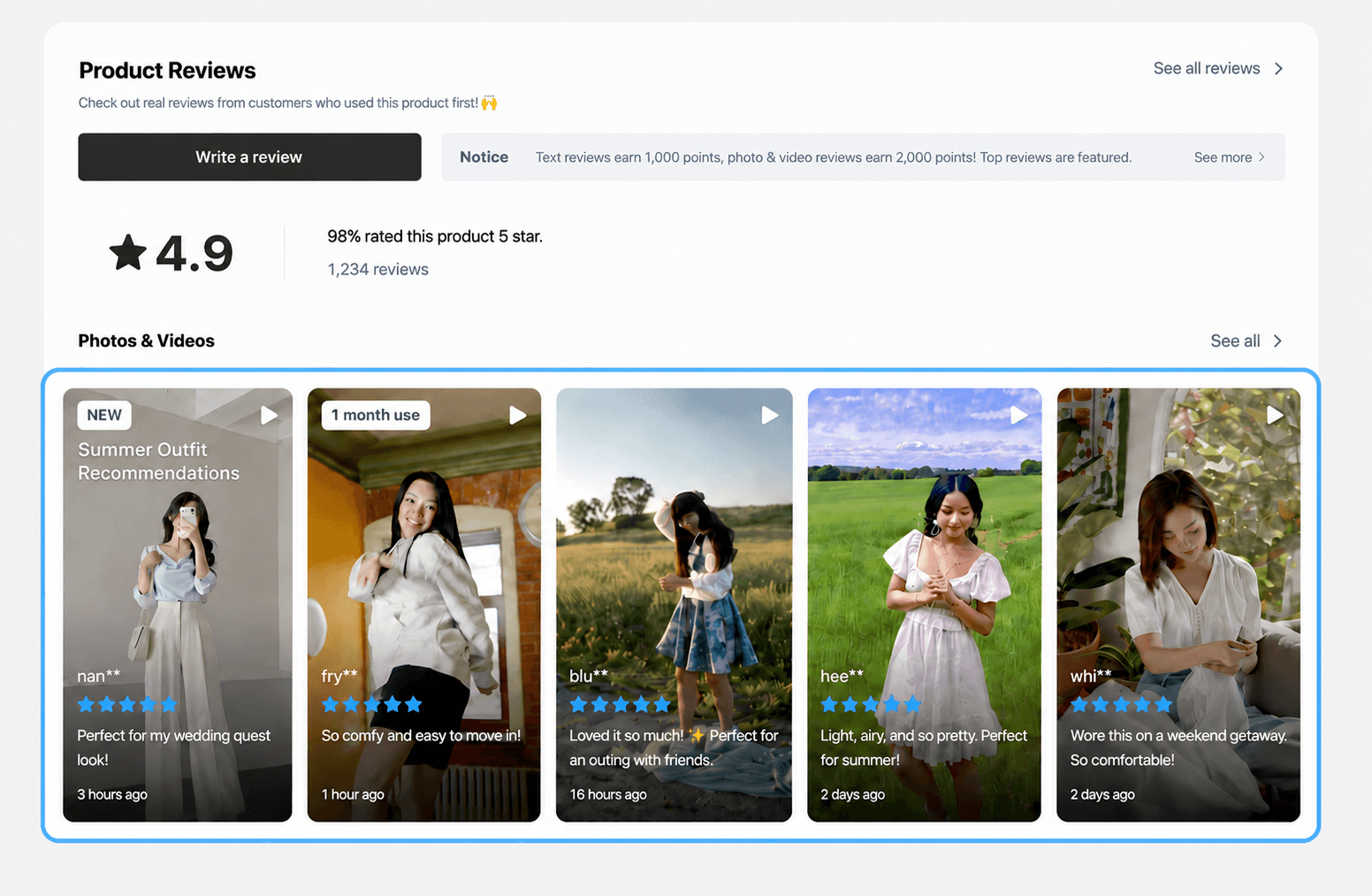
To get the best results from the Shorts-style popup, you'll want to collect high-quality video and photo reviews consistently. The more your reviews show real product details—fit, texture, color, size, usage in context—the more they help customers make confident purchase decisions.
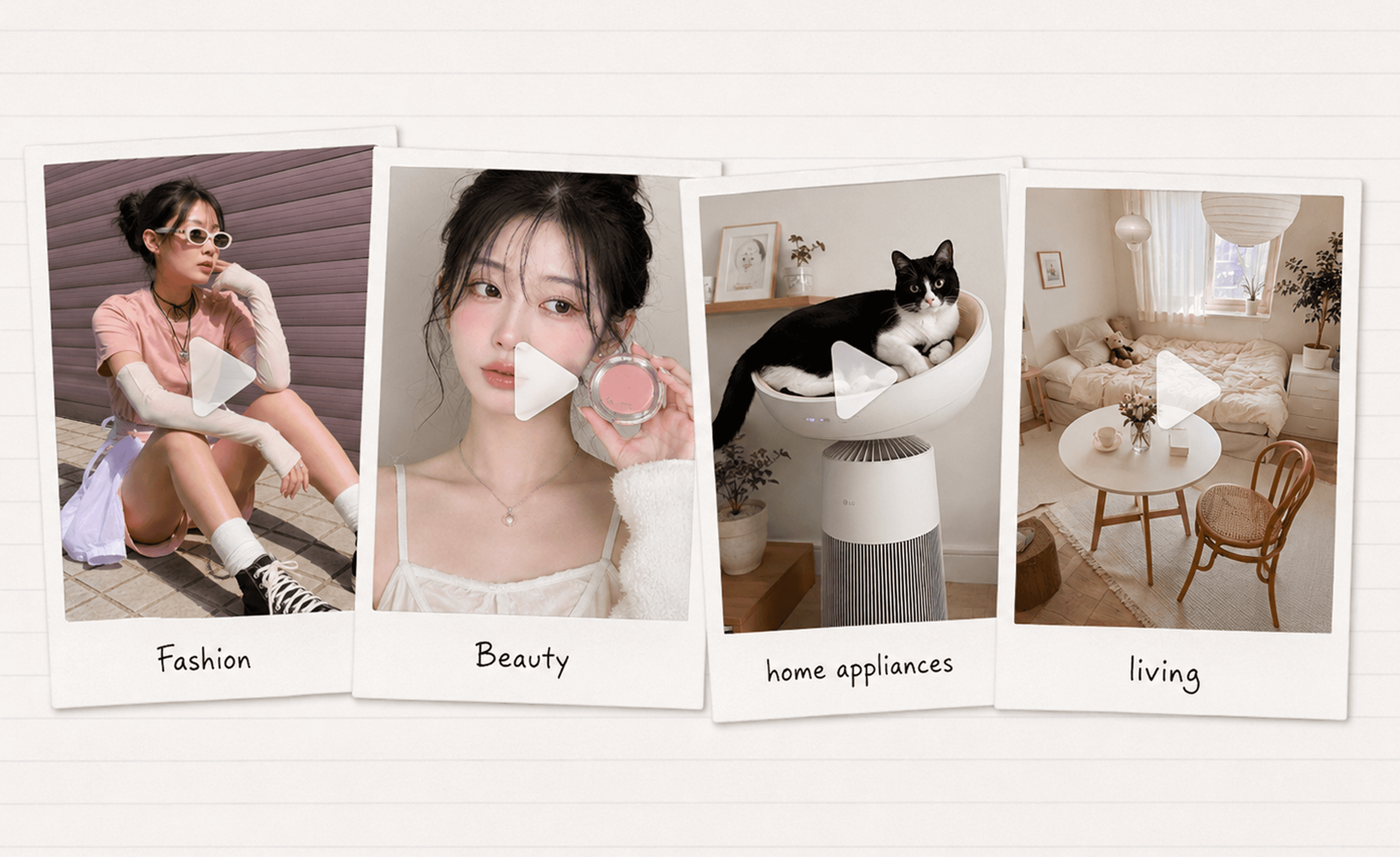
Encourage video review submissions by highlighting bonus rewards in your review request popup or emails. If you have influencer collaboration videos or brand-created Shorts or Reels, feature them prominently. Videos that clearly show product features and real-world use can hook customer attention and lead them to explore more reviews.
Frequently asked questions
Q. How do I set up the Shorts-style popup?
A. Go to CREMA [Admin] → [Reviews] → [Settings] → [Widget Settings], select [Settings] for the review widget where you want to enable the popup, then choose "Shorts-style popup" under the "Photo popup style on media click" option. Save your settings. After that, when customers tap a video or photo thumbnail in that widget, the Shorts-style popup will open.
💡 Review widgets that support the Shorts-style Popup
Product details page: Media Grid, Reviews Carousel, Reviews Board, Reviews Widget
All reviews page: Media Grid, Reviews Carousel, Best Reviews Widget, Reviews Widget
Q. How do I set up vertical thumbnails?
In CREMA [Admin] → [Reviews] → [Settings] → [Widget Settings], then open [Settings] for the widget you want to apply this to. Depending on the widget type, select [Display as vertical] under the following options:
Reviews Widget/Reviews Board: Photos&videos section style
Media Grid/Reviews Carousel/Best Reviews Widget: Photo/Video review thumbnail display method
Q. Does the Shorts-style popup only show video reviews?
A. No. The Shorts-style popup displays both video and photo reviews. Customers can swipe through a mix of videos and images in one continuous, engaging flow.
Q. How is the order of reviews determined in the popup?
A. The popup follows the same sorting rule you've set for the widget (e.g., featured, newest, highest rated). If you change the widget's review order, the Shorts-style popup reflects that change automatically.
Q. Can customers hear audio in video reviews?
A. Yes, if a video includes sound, customers can listen to it. Videos play muted by default to avoid disruptive audio, but customers can tap the mute icon in the top-left corner to turn sound on.
Collecting great reviews is only half the battle. The other half is making sure customers actually see them and use them to make purchasing decisions. The Shorts-style popup presents video and photo reviews in a familiar, social-media-inspired format and connects viewing, engagement, sharing, and buying in one seamless experience.
Now, video reviews can do more than provide feedback—they can help customers discover new products and guide them toward purchase. If you want to showcase your visual reviews more effectively, start using CREMA's Shorts-style popup today.